
For Download
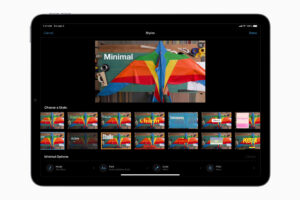
iMovie is a user-friendly, free video editing application developed by Apple for macOS, iOS (iPhone and iPad), and iPadOS devices.
1 It is designed to be accessible for beginners and casual creators while still offering a substantial set of features for creating polished, professional-looking videos.
2Here is a detailed breakdown of iMovie:I. Core Purpose and Philosophy and Easy: iMovie is free for all users of Apple hardware.
3 Its interface is intuitive, utilizing a simple drag-and-drop workflow that is perfect for quickly assembling clips, photos, and music.
4Apple Ecosystem Integration: It is deeply integrated with other Apple applications and services, making it easy to import media from the Photos app, iTunes, and transfer projects between an iPhone, iPad, and Mac..
5High-Quality Output: iMovie supports editing and exporting videos in high-quality formats, including 4K resolution 6II. Key Features and CapabilitiesiMovie offers all the essential tools for video editing, plus some creative extras:71. Basic Editing8Timeline Editing:
A simple timeline allows you to arrange, reorder, and layer video clips, photos, and audio. 9Trimming & Splitting: Easily trim the start and end of clips or split a single clip into multiple segments for more precise editing 10Cutaways and Overlays:Cutaway: Show a clip without the accompanying audio of the main clip. Picture-in-Picture (PiP) & Split-Screen: Allows for two videos to play simultaneously on the screen..
11Green-Screen (Chroma Key):12 Lets you replace a green or blue background with any other image or video 2. Creative Tools & Effects Trailers: A unique feature that uses pre-designed, Hollywood-style templates with placeholder text, studio logos, and music.13 You simply insert your clips to create a professional-looking movie trailer.
Magic Movie & Storyboards (iOS/iPadOS): New features that automatically create a finished, styled movie from your selected clips (Magic Movie)14 or provide flexible templates to guide you in shaping a story (Storyboards).15Transitions: A selection of transitions (e.g., Cross-Dissolve, Fade, Wipe) to connect clips smoothly.16Video Filters: Pre-set color filters (e.g., Black & White, Western, Vintage) to give your entire movie or individual clips a specific visual style.17Speed Control: Adjust the speed of a clip for slow-motion or fast-motion effects.18Ken Burns Effect:
A built-in feature to add slow zooming and panning to still photos, bringing them to life. 19Image Stabilization: An essential tool on the Mac version to help smooth out shaky camera footage 203. Audio Editing Soundtracks: Access to a library of built-in, royalty-free music that can intelligently adjust to fit the length of your movie (Smart Soundtracks on iOS/iPadOS). .21Volume & Fades:
Adjust the volume of clips, music, and sound effects, and add smooth fade-ins and fade-outs.22Voiceovers: Easily record narration directly over your video project.. 23Sound Effects: A library of short, useful sound effects.. 244. Titles and TextTitles and Credits: A variety of title and text templates for adding opening titles, lower thirds, and rolling credits.. 255.
Sharing and ExportDirect Sharing: Built-in options to directly share your finished movie to popular platforms like YouTube, Facebook, and Vimeo, or to other Apple devices via AirDrop.. 26High Resolution: Export in high-definition resolutions, including 720p, 1080p, and 4K.27III. iMovie for Mac vs. iMovie for iOS/iPadOS28While both versions share the core functionality and design philosophy, there are some differences due to the operating systems and hardware:
Feature/AreaiMovie for Mac (macOS)iMovie for iOS/iPadOS Interface Traditional desktop application with larger workspace, designed for mouse/trackpad.Touch-optimized interface, designed for intuitive finger gestures. Advanced Tools generally include more granular control, such as manual color correction adjustments and a wider variety of effects/titles.S
Simpified controls often with fewer options for fine-tuning than the Mac version. Unique FeaturesMore sophisticated audio control (e.g., equalizer function). Stronger image stabilization. Magic Movie and Storyboards are unique to the mobile versions. Smart Soundtracks.
Project Compatibility import projects started on an iPhone/iPad for “finishing touches.”Cannot directly open projects started on a Mac, but projects can be transferred to a Mac. IV.
Supported File Formats (Import)iMovie is most compatible with media recorded on Apple devices, but it supports several common formats: CategorySupported Formats/CodecsVideoMOV, MP4, M4V (without DRM), H.264, H.265/HEVC, Apple Intermediate Codec (AIC), Apple ProRes, AVCHD, DV.AudioAAC, MP3, WAV, AIFF, BWF.ImagesJPEG, PNG, GIF, BMP, TIFF, RAW, PSD (Photoshop).Note: If you have videos in less common formats (like WMV or MKV), you will typically need to convert them to a supported format (like MP4/H.264) using third-party software before importing them into iMovie