For Download
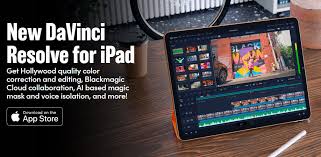
DaVinci Resolve for iPad is a powerful, professional video editing and color correction application that brings the core functionality of the industry-standard desktop software to the Apple tablet. re is a full breakdown:
1. Core Concept and Interface Professional Tool: It is not a stripped-down mobile app; it’s a very robust port of the desktop software’s engine and feature set, optimized for the iPad’s touch interface. 2Unified Post-Production: Like the desktop version, it combines editing and color correction in a single application.
3Pages: The app is structured around task-specific workspaces, primarily featuring the Cut Page and Color Page (the full desktop version includes Edit, Fusion, and Fairlight as well, which are generally more limited or not officially present on the iPad version, though some can be accessed with an external keyboard).Cut Page: Designed for speed, quick assembly, and tight deadlines.
4 It includes features like the Source Tape and fast review tools.5Color Page: Hollywood’s most advanced color corrector, providing primary and secondary grading tools, PowerWindows, qualifiers, tracking, and advanced HDR tools.6Interface Adaptation: The UI is largely a replica of the desktop version but optimized for touch gestures, the Apple Pencil (for precise control and grading), and external accessories like the Magic Keyboard and Magic Trackpad/Mouse.72.
Key Features Feature Category Details Editing Full non-linear editing capabilities, multi-track timelines, transitions, effects, and titles.Color Correction: Industry-leading color grading tools, including color wheels, curves, primary/secondary correction, and advanced HDR grading tools.AI Features (Studio Version): Tools like Magic Mask (to track and isolate people/objects with a single stroke), Voice Isolation (to remove background noise), Smart Reframe (for social media aspect ratios)
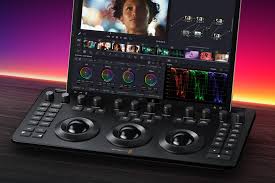
. Media & Formats Supports standard DaVinci Resolve project files (.drp and .dra), H.264, H.265, Apple ProRes, and Blackmagic RAW. External DevicesSupport for importing clips from internal storage, the Photos library, iCloud, and external USB-C disks.MonitoringAbility to send a clean video feed to an external display (like an Apple Studio Display or Pro Display XDR) or AirPlay-compatible screens for accurate color grading.Hardware Integration Works with Blackmagic Design’s hardware panels (like the Speed Editor) for a faster, more tactile workflow 3. Versions: Free vs.
Studio Feature Free Version (DaVinci Resolve for iPad)Studio Version (In-App Purchase)PricingFree download.One-time in-app purchase.PerformanceExcellent, especially on Apple Silicon (M-series).Enhanced Performance: Optimised for M1/M2/M3 chips for up to 4x faster Ultra HD ProRes rendering.
Features include most core editing and color grading tools. Includes DaVinci Neural Engine features (Magic Mask, Voice Isolation, Super Scale), advanced noise reduction, HDR grading, and stereoscopic 3D.CollaborationBlackmagic Cloud project libraries.Full multi-user collaboration via Blackmagic Cloud.OutputMax resolution export typically limited (e.g., up to 4K).
Unrestricted resolution and frame rate (up to 32K and 120fps, dependent on iPad hardware).4. System Requirements and PerformanceRecommended: iPad Pro (M1 chip or newer) with a minimum of 8GB of RAM is highly recommended for the best performance, especially with high-resolution footage (4K and higher).8Compatibility: Requires iPadOS 16 or newer.9Older iPads: Can run the app, but may be restricted to HD resolution, and performance limitations may affect complex projects or certain features.
10External Power: Heavy tasks like rendering or complex grading can drain the battery quickly, so plugging in is recommended for long editing sessions 115. Workflow Compatibility Seamless Desktop Integration: DaVinci Resolve project files are fully compatible between the iPad and desktop versions (Mac/Windows/Linux).12 You can start an edit on your iPad and finish it on your desktop, and vice versa.
Blackmagic Cloud: Enables project sharing and collaboration across different devices and locations in real-time.13In summary, DaVinci Resolve for iPad offers a remarkably complete and powerful post-production experience on a mobile platform, making the iPad a truly viable tool for professional video editors and colorists, especially for on-set or on-the-go work.