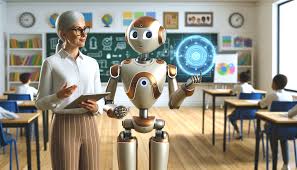


TeachAI: AI Teaching Assistant is a specialized digital platform designed to alleviate the administrative and creative burden on educators ranging from kindergarten to the university level. By February 2026, it has become a prominent tool in the “EdTech” space, focusing on efficiency, personalization, and interactive learning.
The platform generally operates in two distinct capacities:
1. The Core Tool: Features and Functionality
The specific TeachAI app (available on Google Play and the App Store) serves as an all-in-one productivity suite for teachers. Its primary goal is to save time—estimated by some users to be up to 15 hours per week—by automating repetitive tasks. Key features include:
Planning & Design: Instantly generates comprehensive lesson plans, interdisciplinary strategies, and curriculum-aligned assignments.
Assessment Power: Uses AI to assist in grading, providing personalized student feedback, and analyzing performance trends to identify struggling students early.
Classroom Engagement: Provides tools like AI-powered quiz generation, discussion prompts, “random name pickers,” and even seating chart creators.
Specialized Support: Includes specific modules for Kindergarten (behavior observation and parent communication) and Academic Research (generating outlines and topic proposals).
2. The Broader Initiative: TeachAI.org
Beyond the individual app, TeachAI is also a major global initiative led by organizations like Code.org, ISTE, and Khan Academy. This framework provides schools and districts with a “Toolkit” for the safe and ethical integration of AI. It focuses on:
AI Literacy: Teaching students and staff how AI works (pattern recognition vs. “magic”).
Policy Guidance: Helping schools develop “Humans-in-the-Loop” policies to ensure AI assists teachers rather than replacing their professional judgment.
Equity & Bias Mitigation: Providing heuristics (like the TEACH-AI benchmark) to ensure AI outputs do not reinforce societal stereotypes or provide inaccurate information.
Note: While these tools are powerful “thought partners,” they can occasionally “hallucinate” (provide factually incorrect but confident-sounding info). Educators are encouraged to use them as a starting draft rather than a final product.