
For Download
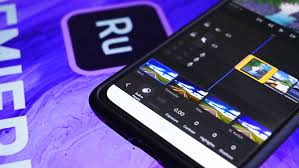
Adobe Premiere Rush is an all-in-one, cross-device video creation and editing application designed primarily for social media creators and vloggers who need to quickly create and share professional-looking videos.1 It’s often referred to as a “lite” or simplified version of Adobe Premiere Pro.
Here is a full, detailed breakdown.
Core Purpose and Target Audience:
To make the process of shooting, editing, and sharing videos fast and easy across different devices.2 It’s built for speed and convenience. 3Target Audience: Beginners, social media content creators, vloggers, and anyone who needs to produce quick videos for platforms like YouTube, Facebook, Instagram, and TikTok.4
2. Cross-Device Functionality (Key Selling Point)5All-in-One: You can capture footage, edit, and share directly from the app.6Cross-Platform: Available on desktop (Windows, macOS), mobile (iOS, Android), and tablet.7Cloud Sync: Projects are synced to the Adobe Creative Cloud, allowing you to start editing on your phone and seamlessly continue on your desktop, or vice versa.83. Key Features and Editing CapabilitiesSimple Timeline: Offers a user-friendly, simplified timeline for editing.9 It typically supports up to four video tracks and three audio tracks. 10Basic Clip Editing: Essential tools for manipulating video clips, including:
Trimming and Splitting11Arranging and Shuffling clips (using a magnetic timeline)12Cropping and RotatingSpeed adjustments (time remapping)13Scaling and Position/Transform controls14Color Correction: Includes easy-to-use color presets (like Instagram-style filters) with a slider to adjust intensity.15 You can also make basic manual adjustments to exposure, contrast, highlights, and shadows..
16Titles and Graphics: Easy addition of text overlays and animated Motion Graphics templates. 17Templates are professionally designed and customizable (font, size, color, etc.). More templates are available through Adobe Stock. .18Audio Editing: Simplified but effective audio tools:19Adding music from a built-in, royalty-free library 20Recording voiceovers directly in the app.21Tools for volume control, noise reduction, and Auto-Ducking (which automatically lowers background music volume when voice is present).
22Transitions: Basic, simple transitions to smooth cuts between clips. .23Aspect Ratio: Easy one-click options to change the video’s aspect ratio (e.g., Landscape for YouTube, Portrait for Instagram Stories, Square for Instagram Feed).244. Comparison with Adobe Premiere ProIt’s important to understand where Rush fits in the Adobe ecosystem: Feature Adobe Premiere Rush Adobe Premiere Pro Primary Goal Speed, simplicity, mobile-first editing.Professional, complex, detailed editing.ComplexitySimple interface, beginner-friendly.
Advanced interface, steep learning curve.Platform Cross-device (Mobile/Tablet/Desktop).Desktop-focused (Windows/macOS).TimelineLimited to 4 videos and 3 audio tracks.Unlimited video and audio tracks.Editing ToolsBasic trimming, color, and audio controls.Advanced keyframing, masking, multi-camera, and high-end effects. Color GradingBasic presets and simple sliders. Professional Lumetri Color panel (Curves, Scopes, HSL Secondary).AudioBasic volume, noise reduction, and auto-ducking.Professional Audition integration, full control over audio effects (compressors, EQ, etc.).
Workflow is ideal for short-form, social content. Ideal for long-form, cinematic, and broadcast projects.CompatibilityRush projects can be opened in Premiere Pro for advanced work. Premiere Pro projects cannot be opened in Rush.5
. Availability and Pricing (Current/Recent Information)Starter Plan (Free): Offers unlimited exports, core editing features, built-in royalty-free audio, customizable titles, and 2 GB of Creative Cloud storage. 25Paid Plans: Full feature access and increased cloud storage (typically 100 GB or more) are available through:26Adobe Express Plan (Often includes Premiere Rush Premium).
27Premiere Pro Single App Plan (Includes Rush Premium).28Creative Cloud All Apps Plan (Includes Rush Premium and all other Adobe apps) 29 Note on Discontinuation: As of recent announcements from Adobe, Adobe Premiere Rush is being discontinued, with a final date set for late 2025/early 2026 (e.g., September 30, 2025).30 Adobe is directing users to Premiere Pro on desktop and the new Adobe Premiere app on mobile (currently on iPhone, with an Android version planned) as its next-generation alternatives.