
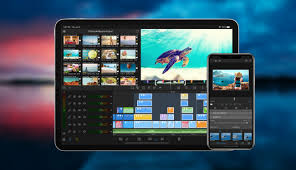
For Download
LumaFusion is widely regarded as a professional, multi-track video editing app for mobile devices, offering a feature set often compared to desktop non-linear editing (NLE) software like Final Cut Pro or Premiere Pro. It’s designed for mobile journalists, filmmakers, and serious content creators who need a powerful tool for editing on the go.
Here is a detailed breakdown of LumaFusion’s key aspects:
1. Availability and Pricing
Platforms: Available for iOS (iPhone, iPad, Apple Silicon Macs) and Android (phones, tablets, and ChromeOS devices running Android 10 or above with a minimum of 3GB of RAM).
Pricing Model: It’s typically a one-time purchase with optional in-app purchases or a subscription (Creator Pass) for enhanced features and asset libraries. The price varies by platform and region.
2. Core Editing Features
Timeline: Features a highly flexible track-based and magnetic timeline system. Tracks: Supports multiple tracks for video, audio, and graphics. iOS: Up to 12 tracks (6 video/audio/graphics and 6 additional audio tracks).Android/ChromeOS: Up to 12 tracks (6 video/audio/graphics and 6 additional audio tracks).
Editing Tools: Professional tools like insert/overwrite editing, linking/unlinking clips, locking, hiding, and muting tracks.Organization: Markers, notes, and color-tagging for clips and projects.
Frame Rates & Ratios: Supports a wide range of frame rates (from 18fps to 240fps) and aspect ratios (16:9, 9:16 portrait, square, film, etc.).
Media Management:.Directly use media from device libraries (Photos, etc.).Import media from cloud storage and external drives (like USB-C drives). Storyblocks Integration: Access to a rotating collection of royalty-free music, sound effects, videos, and backgrounds (free selection and a much larger library with the optional Creator Pass subscription).
3. Effects and Color Correction
Layered Effects: Apply effects to multiple clips, supporting up to 4K resolution (device dependent). Keyframing: Unlimited keyframes to precisely animate effects, text, and titles over time. Compositing: Features like Green Screen, Luma Key, and Chroma Key for professional compositing.Color Tools: Powerful color correction tools, including:
Color LUT presets (like FiLMiC deLog) or the ability to import your own custom .cube or .3dl LUTs. Professional scopes (Video Waveform, Vector, and Histogram – on iOS). Stabilization: Includes a Lock & Load Video Stabilizer (on iOS) to reduce shaky footage.
4. Audio Tools
Mixing: Keyframe audio levels, panning, and EQ (Graphic or Parametric) for precise audio mixes. Advanced Audio: Includes features like Voice Isolation (on iOS). Auto-ducking automatically lowers the music volume during dialogue. Support for stereo and dual-mono audio. Ability to add third-party audio plugins (on iOS).
5. Titles and Graphics
Custom Titler: Create multi-layer titles with shapes, images, and text. Customization: Adjust font, color, border, and shadow. You can also import custom fonts. Save and share custom title and effect presets.
6. Sharing and Export
Control: Full control over resolution, quality, and format when exporting. Project Transfer: Ability to send projects to edit on another device. Professional Export: Supports full ProRes editing and export on compatible iOS devices.
7. Enhanced Features (Often part of a subscription or separate purchase)
Speed Ramping & Enhanced Keyframing: Allows for creation of custom speed ramps, Bézier curves, and easing for advanced motion control. Multicam Studio: Synchronize multiple camera/audio angles (up to 6) and switch between them easily.
FCPXML Export: Export your project in the Final Cut Pro XML format to continue editing on a Mac desktop application. Adjustment Clips: Apply effects to multiple clips simultaneously.Pros and Cons
Pros Cons
Desktop-Class Features on Mobile: Offers an unparalleled feature set for a mobile app. Learning Curve: Can be steep for absolute beginners due to its advanced tools.
Magnetic Timeline: Makes editing and shifting clips easy without leaving gaps. Resource-Heavy: Can strain older or less powerful devices, particularly with 4K projects.
One-Time Purchase: Generally a better long-term value than subscription-only models. Motion Tracking: Lacks a dedicated, automated motion tracking feature.
Comprehensive Toolset: Excellent color correction, keyframing, and advanced audio controls. Limited Built-in Library: The built-in effects and transitions library is less extensive than some competitors (though Storyblocks helps).
In summary, LumaFusion is a robust, professional-grade non-linear editor that successfully bridges the gap between traditional desktop software and mobile editing, making it the top choice for many serious creators who primarily edit on tablets or high-end smartphones.