
For Download
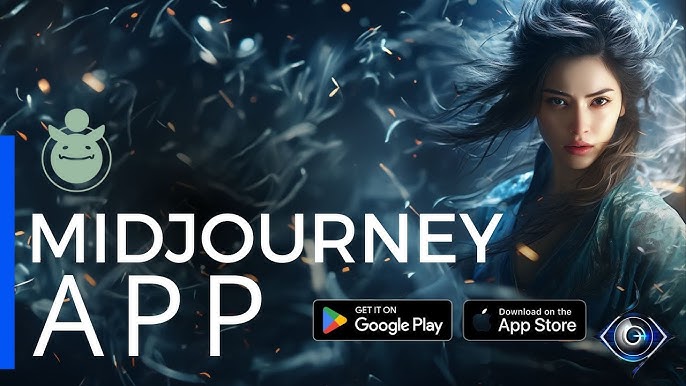
Midjourney is a cutting-edge generative artificial intelligence program and service that generates images from natural language descriptions, commonly referred to as prompts.
It is one of the most prominent text-to-image AI models, similar to OpenAI’s DALL-E and Stability AI’s Stable Diffusion.
Here is a full, detailed breakdown:
1. What Midjourney Is
Generative AI: It uses complex algorithms, trained on massive amounts of data (text-image pairs), to interpret a text prompt and generate a corresponding, unique visual image.
Focus on Artistry: It is particularly known for generating high-quality, often artistic, imaginative, or cinematic-style visuals.
Independent Research Lab: It was created and is hosted by the San Francisco-based “independent research lab,” Midjourney, Inc., founded by David Holz.
2. How to Use Midjourney (Interface & Commands)
Midjourney is primarily accessible in two ways:
Interface Description Command
Discord Bot Historically, the main way. Users join the official Midjourney Discord server (or invite the bot to their own server) and interact with it using chat commands.
The core command is /imagine followed by your text prompt.
Web Interface: A native web application has been introduced to make the tools more accessible outside of Discord, offering a more traditional web editor experience. Images are generated by typing the prompt into a dedicated text field.
The Generation Process:
Prompt Entry: You type your creative description (e.g., /imagine a hyper-detailed oil painting of a lone astronaut on a pink desert planet).
Image Grid: The system returns a grid of four unique, low-resolution image options based on your prompt.
Refinement: You are presented with options to refine the images:
U Buttons (U1, U2, U3, U4): Upscale the selected image (1-4) to a higher resolution and add more detail.
V Buttons (V1, V2, V3, V4): Create four new variations of the selected image, keeping its general style and composition.
Various Tools: Features like Vary (Region) allow you to select a specific part of an image to change while keeping the rest consistent.
3. Key Features and Customization
Midjourney offers numerous tools to fine-tune the output:
Image Prompts: You can include a link to an image in your prompt, which Midjourney uses as a visual reference for composition, style, or content.
Relax Mode: Available on higher-tier plans, this feature allows for unlimited image generation, although the images are processed in a slower queue, not utilizing “Fast Hours.”
Stealth Mode: Available on Pro and Mega plans, this keeps your generated images private, preventing them from being displayed in the public community gallery (important for commercial or confidential work)
Best Uses
Midjourney is widely used by:
Artists and Designers: To rapidly visualize concept art, explore different visual styles, and create unique assets.
Content Creators: For social media visuals, blog headers, and marketing campaigns.
Writers and Filmmakers: To quickly prototype storyboards, visualize characters, and generate mood boards for projects.
Hobbyists: For personal creative exploration and generating unique digital artwork.