For Download
Open the Play Store on your phone
And Download
Pixlr.com is a leading, cloud-based platform offering a suite of AI-powered creative tools for photo editing, graphic design, and image generation. It is recognized as a powerful, user-friendly, and cost-effective alternative to traditional professional software.
Here is a detailed breakdown of Pixlr:
1. The Pixlr Suite: Multiple Editors for Different Needs
Pixlr.com is not a single tool but a collection of editors designed for different user skill levels and purposes. The main offerings include:
Product Focus User Level Key Features
Pixlr E (Editor) Advanced Photo Editing Professional/Advanced Layer-based editing, masks, detailed adjustments (Curves, Levels), advanced retouching, non-destructive editing, and professional-grade filters. It offers an experience similar to desktop photo editors like Adobe Photoshop.
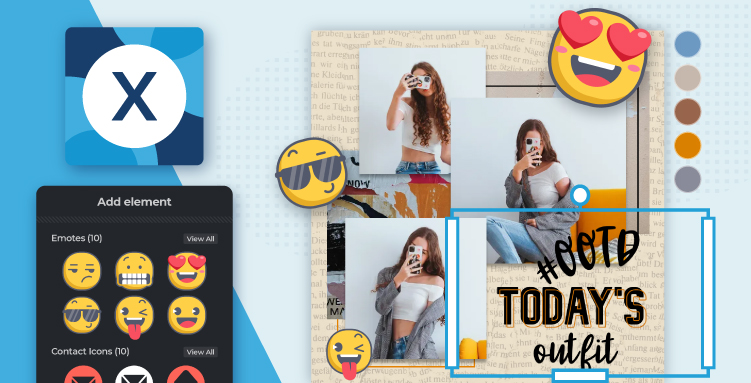
Pixlr X (Express) Quick Edits & Graphic Design Beginner/Casual Clean, minimalist interface focused on speed and ease of use. Ideal for quick tasks like cropping, resizing, color adjustments, adding text, stickers, and applying filters, making it perfect for social media content.
Photomash Studio One-Click Studio Shots All Levels A dedicated tool for creating professional-looking portrait and product shots with a single click. It automatically removes the background and allows you to add new backgrounds, shadows, and depth effects.
Batch Editor Bulk Editing All Levels allows users to edit up to 50 images simultaneously, applying the same crop, resize, and effects to save significant time.
Remove Background AI Background Remover All Levels A standalone, one-click tool that uses AI to accurately cut out the subject and create a transparent image.
2. Core Features and AI Integration
Pixlr has heavily invested in Artificial Intelligence (AI) to simplify complex tasks and unlock new creative possibilities:
Feature Category AI-Powered Tools Traditional/Advanced Tools
Generative AI AI Image Generator: Creates custom images from a text prompt (Text-to-Image). Filters and Effects: A massive library of artistic filters (e.g., Glitch, Dispersion, Bokeh) and detailed effects.
Generative Fill: Marks an area with a selection tool and uses a prompt to generate or replace content seamlessly. Adjustment Tools: Comprehensive control over Brightness, Contrast, Hue, Saturation, Vibrance, Levels, Curves, and Color Balance.
Generative Expand: Seamlessly expands the canvas in any direction, with AI filling the new space to match the existing image. Retouching: Tools for removing blemishes, smoothing skin, whitening teeth, and removing red-eye.
Photo Manipulation AI Remove Object: Draws around an unwanted object to instantly remove it, with the AI intelligently filling the gap. Layer Support: Full layer functionality in Pixlr E for non-destructive, intricate design work.
AI Remove Background / Backdrop Generator: Automatically isolates the subject for background removal or replacement. Text and Elements: Tools to add text, stickers, overlays, and other graphic elements.
AI Face Swap: Effortlessly swaps faces in portraits. Drawing: Tools like brushes and pencils for hand-drawn effects.
3. Business Model and Accessibility
Platform: Pixlr is a cloud-based Software as a Service (SaaS) platform, meaning it runs directly in your web browser. This eliminates the need for installation and allows users to access their projects from any device with an internet connection.
Accessibility: It is available on desktop web browsers as well as through mobile apps for both Android and iOS.
File Compatibility: Pixlr is compatible with popular image formats like JPEG, PNG, WEBP, GIF, and even professional formats like PSD (Photoshop Document) and its native format, PXZ.
Pricing: Pixlr operates on a freemium model:
Free Version: Provides essential tools for casual users with some limitations, such as ads and a limited number of free daily saves or AI credits.
Subscription Plans (Plus, Premium, Teams): Offer an ad-free experience, unlimited saves, a larger allocation of monthly AI credits, private mode for AI generations, and full access to the extensive library of fonts, templates, and elements.
4. History and Background
Founding: Pixlr was originally launched in 2008 by Ola Sevandersson.
Evolution: It quickly gained traction for offering professional-grade editing features for free in a web browser.
Current Ownership: After being acquired by Autodesk in 2011, it was later acquired again. It is currently a key product of the Pixlr Group, which focuses on generative AI and creative software solutions, alongside related tools like Designs.ai.
Technological Shift: The platform was originally built on Flash but was rebuilt and relaunched in HTML5 in 2019 to ensure modern compatibility.