
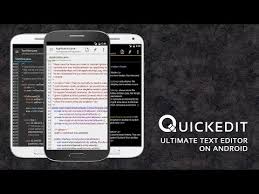

QuickEdit Text Editor Pro: A Mobile Powerhouse for Text and Code
QuickEdit Text Editor Pro is a highly-rated, fast, and feature-rich text and code editor specifically optimized for the Android platform, making it a critical tool for developers, writers, and power-users who need to work on files from their phones or tablets.
The “Pro” version enhances the experience primarily by being ad-free, but it maintains the core speed and stability that defines the app. It distinguishes itself by offering high performance and low lag, even when handling text files with over 10,000 lines, a challenge for many other mobile editors.
QuickEdit serves a dual purpose: it functions as a highly enhanced notepad for general plain text tasks and as a versatile code editor with syntax highlighting for a massive library of over 170 programming languages, including C++, Java, JavaScript, Python, PHP, HTML, CSS, and Markdown.
The editor is packed with features designed to maximize productivity on a mobile interface. Key functionalities include unlimited undo and redo capabilities, easy management of line indentations, and seamless multi-tab navigation for working on several files simultaneously.
For developers, the app provides essential tools like the ability to display or hide line numbers, quickly jump to a specific line number, and a powerful search and replace feature.
It also includes handy utilities such as the easy input of hexadecimal color values and automatic detection of character encoding to prevent display errors.
Furthermore, the editor offers a preview function for HTML, CSS, and Markdown files, allowing users to see their output without leaving the app.
Beyond local file editing, a major strength of QuickEdit Text Editor Pro is its robust cloud and remote access integration.
Users can directly access and edit files stored on major cloud services like Google Drive, Dropbox, and OneDrive, as well as through FTP, and have the ability to edit system files on rooted devices.
More recently, the editor has also integrated seamless access to GitHub and GitLab for collaborative development and version control, further solidifying its utility for professionals.
While it does not fully replace a comprehensive Integrated Development Environment (IDE), the Pro version offers a clean, fast, and highly capable mobile coding environment.
Its value proposition is simple: a stable, efficient, and professional-grade mobile editor that is entirely free from distractions.