
For Downlaod
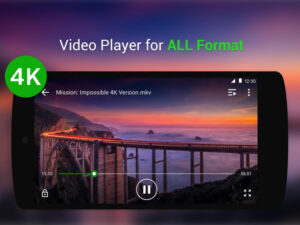
“Video Player All Format” is a generic name used by several different video player applications, particularly on the Android platform. One of the most prominent apps often associated with this name is XPlayer by InShot Inc.
Here is a detailed breakdown of the features and general concept of such an application:
Core Concept and Functionality
The primary function of a “Video Player All Format” application is to be a versatile multimedia player capable of playing almost any video file without needing additional codec downloads.
Universal Format Support: This is the defining feature. The players are designed to support a vast range of video formats, including common ones like MP4, AVI, MKV, MOV, FLV, WMV, M4V, 3GP, and TS, which sometimes standard mobile or desktop players struggle with.
High-Definition Playback: They typically support playing HD, Full HD, 4K, and sometimes Ultra HD videos smoothly, often utilizing hardware acceleration to improve performance and reduce battery drain.
Key Features
Video player apps in this category usually include a robust set of playback and utility features:
1. Advanced Playback Options
Subtitle Support: They can detect, load, and sync external subtitles. Many also include a subtitle downloader feature to fetch subtitles online.
Playback Speed Control: Users can adjust the video speed (e.g., from 0.25x to 4x) for slow-motion or fast-forward viewing.
Audio Track Selection: The ability to easily switch between multiple audio tracks within a video file.
Multi-Play Options: Options like auto-rotation, aspect-ratio adjustment, and screen-lock to prevent accidental touches.
Gesture Controls: Intuitive screen gestures for easy adjustment of volume, brightness, and playing progress (seeking).
2. Viewing Modes
Floating Video Player (Picture-in-Picture/PIP): Allows the video to be played in a small, resizable window that floats over other apps, enabling multitasking.
Background Play: The video’s audio continues to play even when the app is minimized or the screen is turned off, treating the video like an audiobook or music track.
Casting Support: Often includes support for casting the video to a larger screen, such as a TV, using devices like Chromecast.
3. File Management and Security
Automatic File Identification: The player automatically detects and organizes all video files on the device and any inserted SD Card.
Private Folder/Vault: A common security feature that allows users to set a password to hide and protect private videos from being seen by others.
File Management: Tools to easily manage, rename, delete, or share video files.
4. Customization and Utilities
Night Mode: Reduces screen brightness and may change the interface theme for comfortable viewing in low-light conditions.
Equalizer: Built-in audio equalizer controls to adjust the sound output.
Sleep Timer: A feature to automatically stop playback after a set amount of time.
Popular Example: XPlayer (Video Player all formats)
XPlayer by InShot Inc. is a widely downloaded Android app that markets itself under the “Video Player All Format” name and encompasses all the features mentioned above. It is known for its comprehensive format support and user-friendly interface