For Download
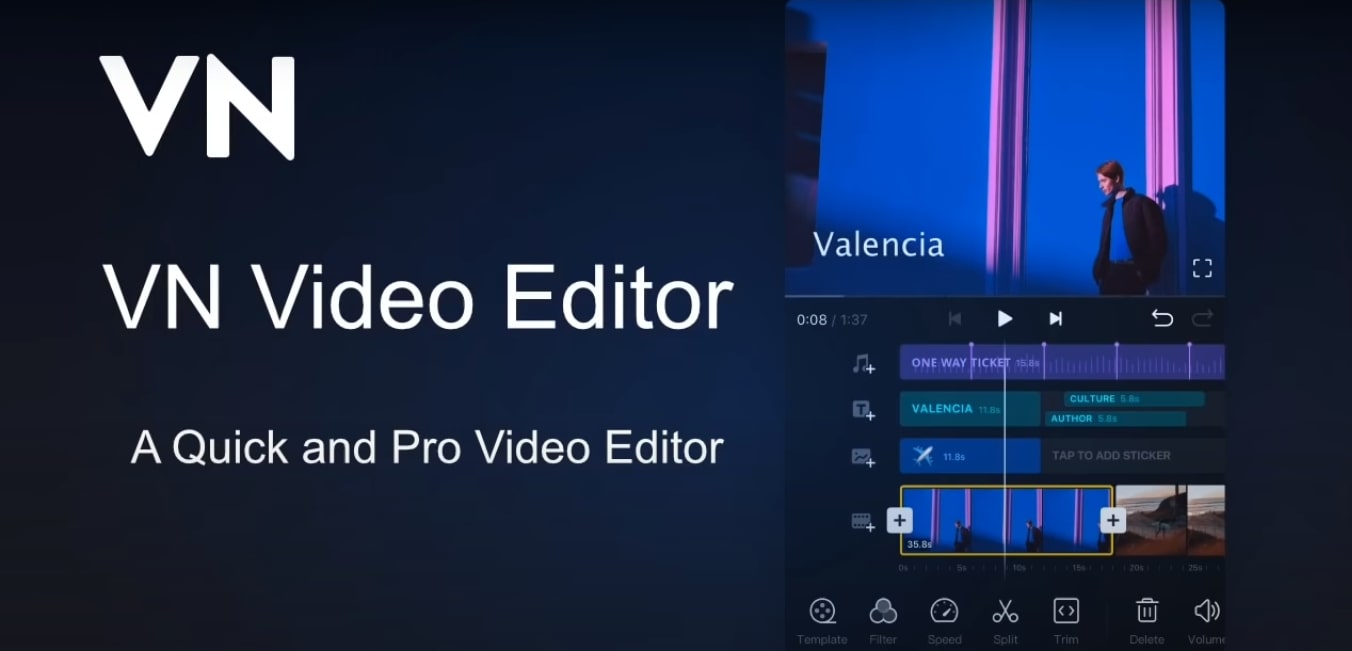
VN Video Editor (also known as VlogNow) is a popular, user-friendly, and powerful video editing application available for iOS, Android, and macOS, with a version also accessible on Windows via other means. It’s widely favored by content creators, especially for short-form videos like TikTok, Instagram Reels, and YouTube Shorts.
Here is a detailed breakdown of its features, pricing, and general standing:
1. Key Features
VN is recognized for offering professional-grade tools in a clean, intuitive mobile interface: Feature Category Specific Features
Core Editing Multi-Track Timeline: Allows for precise, multi-layer editing (video, audio, text, stickers, picture-in-picture). Quick Rough Cut: Precise timeline control, zoom in/out, and fine-tune clips to 0.05 seconds. Non-Destructive Editing: Allows you to save drafts and undo/redo actions without overwriting original data. Trimming, Splitting, Deleting, Reordering: Standard, easy-to-use tools.
Advanced Effects Keyframe Animation: A standout feature for a mobile editor, allowing advanced control over position, scale, rotation, and other parameters for text, stickers, and videos. Speed Curve (Time Remapping): Similar to professional desktop software, this feature allows you to adjust the playback speed of your video clips with preset curves for dynamic slow-motion or fast-motion effects. Reverse & Zoom: Fun effects to enhance your video. Freeze Frame: Create a time freeze effect easily.
Audio Music Beats: Add markers to the timeline to align video cuts to the rhythm of the music. Voice-overs: Easily record high-quality audio directly into your project. Flexible Import: Import your own music and sound effects.
Visual & Color Transitions & Effects: A variety of effects and transitions (like overlay and blur) with customizable timing and speed. Rich Filters & LUTs: Provides built-in cinematic filters and allows you to import custom LUT (.cube) files for advanced color grading.
Text & Graphics Rich Text Templates: Choose from many templates and fonts. Custom Text Editing: Adjust color, size, spacing, and more. Material Library: A variety of stickers, fonts, and other materials.
Import & Export Flexible Import Method: Import custom assets (music, fonts, stickers) via AirDrop, Wi-Fi, WhatsApp, or Telegram. Custom Export: Allows you to customize the resolution, frame rate, and bit rate, supporting 4K resolution up to 60 FPS.
2. Pricing and Watermark
Free Version: The vast majority of its powerful features are free to use, which is a major draw. Crucially, the free version typically allows you to export videos without a watermark, which sets it apart from many competitors. VN Pro (Premium): A subscription-based premium version is available (monthly or annually). This subscription usually unlocks advanced effects, more assets, an ad-free experience (on platforms where ads exist), and other exclusive features. The specific features included in the Pro version can change over time. Credit Packs: Additional one-time purchases for specific assets or resources may also be available.
3. Pros and Cons Summary
Pros (Why it’s Popular) Cons (Potential Drawbacks) No Watermark in the Free Version: A huge advantage for content creators. Learning Curve: While easy to start, the desktop-like timeline and advanced features (like Keyframes and Speed Curve) can be slightly overwhelming for absolute beginners.
Professional-Grade Features: Offers advanced tools like Keyframe Animation, Speed Curve, and LUT import, often found only in desktop software. Fewer “Trending” Templates & AI Tools (vs. Competitors): Compared to an app like CapCut, VN has historically had fewer ready-to-use, viral social media templates and less advanced AI-powered automation features (like one-click auto-captions or background removal). This is changing, as AI templates have recently been added.
Multi-Track Timeline: Excellent for layering video, audio, text, and graphics with precision. Requires Processing Power: Due to its advanced features, performance can sometimes be affected on older or lower-spec devices.
High-Quality Export: Supports custom settings up to 4K at 60 FPS. Limited Free Assets: The free library of music, stickers, and fonts may be less extensive than some other free editors.
Clean, Ad-Free Interface: The free version is generally ad-free, leading to a smoother editing experience. Desktop Version Usability: While available on Mac/PC, some users feel the mobile version is its primary and strongest platform.
In short, VN Video Editor is an excellent choice for creators who want the flexibility and precision of a desktop editor but in a mobile-friendly, free, and watermark-free package. It’s perfect for users who prefer to manually control their edits rather than rely heavily on trending templates and heavy automation